Research library / Installation & diagnostics
AI chatbot demo checklist: how to evaluate a website chatbot before buying
Evaluate a chatbot with a written set of customer questions and observable acceptance criteria, not only the vendor's curated demonstration. Include unknown answers, changed facts, human handover and device or integration failures.
Editorial review: 2026-11-27 · OWASP: prompt injection · PIP research, not a live vendor performance test.
Decision path
Work through the problem
Practical example
A common situation
A fictional buyer prepares 20 cases: 8 accurate factual questions, 4 ambiguous or unsupported questions, 3 multi-turn cases, 3 handovers and 2 security cases. One candidate passes 18, but fails a tenant-isolation case and a lead-delivery case. The buyer withholds release despite the 90% case pass rate until critical failures are resolved.
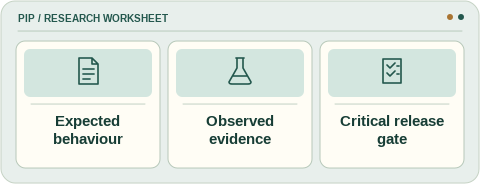
Illustrative decision workflow, not measured product performance.
Implementation guide
Where to go and what to check
Start here: Evaluation brief → fictional test cases → evidence collection → release decision.
- Write the main user tasks: answer a factual question, handle ambiguity, qualify a lead, route support and recover from an error. Specify where the answer may come from and what must never be disclosed.
- Prepare a fixed set of fictional facts and expected outcomes. Include adversarial instructions embedded in untrusted content, a stale fact, unsupported question, two sessions and an interrupted mobile interaction. Do not use real confidential records.
- Run the cases on the actual candidate in an authorised environment and record response text, version, time and result. For integration claims, inspect the downstream system rather than relying on the demo UI.
- Use the same rubric for each candidate. Require resolution of critical failures, a repeatable regression check and a reversible limited launch. Keep unsupported functionality marked untested.
What a passing test looks like
Results are linked to stable cases and actual evidence
A critical failure cannot be hidden by averaging
Each corrected case is retested alongside previously passing cases
Interactive troubleshooting
What are you seeing?
Recommended next check
Introduce fictional representative questions and unsupported requests outside the script.
See all diagnostic paths
- The demo answers only scripted questions
- Introduce fictional representative questions and unsupported requests outside the script.
- Average score looks high but critical case fails
- Treat critical access, privacy or routing failure as a release blocker; preserve the evidence.
- No evidence for a claimed integration
- Mark it untested and request a live synthetic end-to-end demonstration.
This is a diagnostic guide, not a test of your website. Verify actual configuration before changing it.
Verification checklist
Before you call this complete
Checklist state is local to this page and is not submitted or stored.
Practical questions
Frequently asked questions
How many test questions do I need?
Enough to cover the intended tasks and critical risks. Start with a manageable set, then expand based on observed failures and business importance.
Should I compare different models on the same questions?
Yes, with the same authorised source facts and intended task. Record version and conditions so the comparison is meaningful.
What is the most important pass criterion?
There is no universal one. For a live website, confidentiality, accurate critical facts and reliable enquiry routing often deserve explicit gates.
Evidence and limitations
Primary sources
- OWASP: prompt injection — checked 2026-11-27
- OWASP: sensitive information disclosure — checked 2026-11-27
- Intercom Messenger JavaScript methods — checked 2026-11-27
Vendor documentation and browser guidance informed the steps. Scenarios are illustrative; we have not accessed your installation. Preserve your site’s security and consent requirements.