Crisp
client.crisp.chat/l.jsDocumented endpoint; checked 2026-11-26.
Vendor installation documentationDiagnostics / local inspection
Identify supported Crisp, Tidio, tawk.to or Intercom signatures in copied public HTML. Your text stays in your browser; we do not fetch a URL or execute the code.
Try the detector
Paste a snippet or select an example above.
How detection works
The model in one glance
Identify supported signatures locally without executing the code.
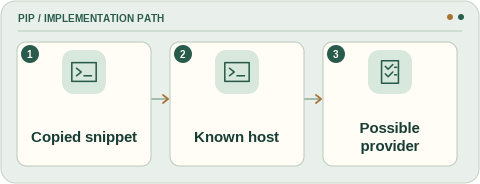
Local signature matching; not a live website scan.
Products discussed

 Intercom Fin
Marks identify the products discussed; no affiliation or endorsement is implied. Official asset sources are linked where a logo is shown.
client.crisp.chat/l.jsDocumented endpoint; checked 2026-11-26.
Vendor installation documentationcode.tidio.co/Documented endpoint; checked 2026-11-26.
Vendor installation documentationembed.tawk.to/Documented endpoint; checked 2026-11-26.
Vendor installation documentationwidget.intercom.io/widget/Documented endpoint; checked 2026-11-26.
Vendor installation documentationA match tells you that the copied code references a known provider. It does not prove the chatbot is active or working. If nothing matches, the widget may use another provider, load later or be hidden until the visitor gives cookie consent. Check the browser Network panel after giving any appropriate consent, or ask the site owner to confirm the provider.