Research library / Installation & diagnostics
Intercom Fin alternatives: a practical migration and cost checklist
Choose an alternative by testing the same customer questions, required inbox workflows and full monthly cost before switching. Separate the cost of the AI agent from support seats, migration work and genuinely comparable outcomes.
Editorial review: 2026-11-27 · Intercom Messenger JavaScript methods · PIP research, not a live vendor performance test.
Decision path
Work through the problem
Practical example
A common situation
A fictional support team has 1,000 monthly chats. Suppose 400 meet a selected standard-rate billable outcome definition. At the $0.99 rate in our 26 November pricing snapshot, that component is $396. It excludes seats, other outcome types, minimums and migration. A candidate with $250 subscription plus $200 of incremental staff time costs $450 before other costs: the figures are illustrative, not vendor quotes or equivalent billing scopes.
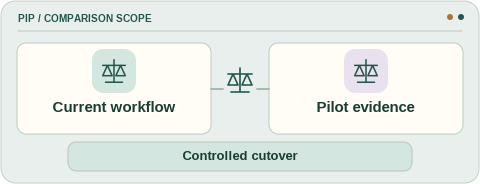
Illustrative decision workflow, not measured product performance.
Implementation guide
Where to go and what to check
Start here: Support operations → current inbox configuration → export and staged replacement.
- Record the current billable outcome definition, billing period, plan, channels, response SLAs and staff seats. Obtain a current quote for the candidate instead of translating a credit into an outcome.
- Export a minimal permitted dataset with a date range and field list. Map identifiers, status, message timestamps and owner references without uploading sensitive customer data to an unapproved service.
- Create a parallel fictional test workspace. Compare 20 representative questions, no-answer behaviour, three handover cases and two separate user identities. Inspect the actual receipts and calculate cost from measured usage.
- Schedule a limited cutover with an owner, failure thresholds and the previous installation instructions. Reconcile synthetic enquiries before removing the old integration.
What a passing test looks like
Both systems have comparable case evidence and itemised cost assumptions
No customer identity or conversation leaks between test users
Synthetic handovers reach the intended inbox and a restore is possible
Interactive troubleshooting
What are you seeing?
Recommended next check
Add seats, usage, support labour, onboarding and export costs; compare on the same operating period.
See all diagnostic paths
- The candidate looks cheaper
- Add seats, usage, support labour, onboarding and export costs; compare on the same operating period.
- The candidate answers correctly but loses context
- Check identity, transcript fields and human handover in a staging environment; retain the old inbox.
- The new widget cannot boot
- Stop the cutover. Check its installation owner, permissions and allowed domain before directing traffic to it.
This is a diagnostic guide, not a test of your website. Verify actual configuration before changing it.
Verification checklist
Before you call this complete
Checklist state is local to this page and is not submitted or stored.
Practical questions
Frequently asked questions
Can I migrate every conversation automatically?
Only if the export, retention policy and target import support the fields you need. A successful export is not proof of an accurate import.
Should I compare cost per outcome or cost per message?
Use both only after measuring each billing unit for the same workload. Then compare total monthly operating cost and qualified results.
When can I cancel the old plan?
After an agreed rollback period and successful end-to-end routing, subject to your contract and data retention requirements.
Evidence and limitations
Primary sources
- Intercom Messenger JavaScript methods — checked 2026-11-27
- Intercom published pricing — checked 2026-11-26
- Intercom outcome definitions — checked 2026-11-26
Vendor documentation and browser guidance informed the steps. Scenarios are illustrative; we have not accessed your installation. Preserve your site’s security and consent requirements.