Research library / Installation & diagnostics
Chatbot conversion analytics: from chat starts to verified qualified leads
Track chat opens, conversations, qualified enquiries, confirmed deliveries and booked or won outcomes as separate events. Deduplicate using stable event identifiers and reconcile counts with the system that actually received the enquiry.
Editorial review: 2026-11-27 · Google Analytics recommended lead events · PIP research, not a live vendor performance test.
Decision path
Work through the problem
Practical example
A common situation
A fictional website has 2,000 eligible visits, 140 chat opens, 70 conversations, 21 qualified leads, 19 verified deliveries and four wins. The chat-open rate is 7%, qualified lead rate per conversation 30%, and won rate per delivered lead 4/19 = 21.1%. These example denominators are different; none establish causation or actual revenue.
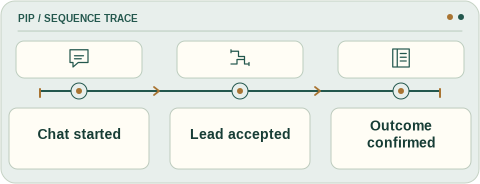
Illustrative decision workflow, not measured product performance.
Implementation guide
Where to go and what to check
Start here: Widget events → consent-aware measurement → lead system reconciliation → business outcomes.
- Create an event dictionary that defines the action, trigger, stable identifier, timestamp and scope. For example, a chat-open event occurs when the panel opens; a qualified lead event requires agreed scope and accepted submission.
- Test a fictional journey that opens, cancels, resumes, submits twice and receives one confirmed delivery. Compare event counts against the actual lead system and inspect failures.
- For browser-only events, document limitations such as other tabs, navigation and tracking permissions. Use authorised server-side receipts for confirmed downstream events where available.
- Report conversions by cohort, time window and source with clear denominators. Calculate incremental contribution separately and avoid transferring personal details or full transcripts to marketing analytics.
What a passing test looks like
A chat open is never counted as a qualified lead
Duplicate submission results in one accepted lead
Reports show known measurement gaps rather than treating missing tracking as zero
Interactive troubleshooting
What are you seeing?
Recommended next check
Look for click-based lead events, duplicate retries or unmatched submissions.
See all diagnostic paths
- Analytics reports more leads than the inbox
- Look for click-based lead events, duplicate retries or unmatched submissions.
- Bookings appear in the widget but not the calendar
- Count only confirmed bookings and reconcile against the calendar system.
- Traffic rises but qualified leads do not
- Examine eligible visitors, conversation rate and qualification by source; avoid attributing all changes to the chatbot.
This is a diagnostic guide, not a test of your website. Verify actual configuration before changing it.
Verification checklist
Before you call this complete
Checklist state is local to this page and is not submitted or stored.
Practical questions
Frequently asked questions
Which conversion should be the main KPI?
Use verified qualified enquiries or another outcome directly aligned with your commercial goal. Keep chat opens as a diagnostic.
Can I use a standard generate_lead event?
Yes where appropriate, after a lead really is generated. Google's recommended event does not remove the need for a precise local definition.
Does a rise in leads prove the chatbot caused it?
No. Compare controlled or well-matched cohorts and account for other traffic and sales changes.
Evidence and limitations
Primary sources
- Google Analytics recommended lead events — checked 2026-11-27
- Intercom Messenger JavaScript methods — checked 2026-11-27
- OWASP: sensitive information disclosure — checked 2026-11-27
Vendor documentation and browser guidance informed the steps. Scenarios are illustrative; we have not accessed your installation. Preserve your site’s security and consent requirements.