Research library / Installation & diagnostics
tawk.to multiple widgets: avoid conflicts between embed scripts
A standard tawk.to embed expects one widget per page. Multiple default scripts can collide through shared global state; the vendor documents a custom JavaScript approach to choosing property and widget IDs.
Editorial review: 2026-11-26 · tawk.to multiple widgets · PIP research, not a live vendor performance test.
Decision path
Work through the problem
Practical example
A common situation
A company has English and Italian support teams. Loading both default embeds can cause conflicts, while selecting the appropriate widget for each page may suffice. Add-ons belong to properties, so separate properties can also change costs.
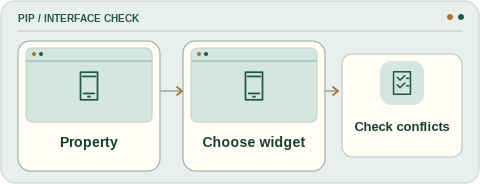
Implementation concept; follow documented steps and verification checks.
Implementation guide
Where to go and what to check
Start here: tawk.to dashboard → property → Administration → Channels → Chat Widget; inspect the Direct Link for property and widget IDs.
- Map brands, languages and support teams to properties and widgets. Add-ons are purchased per property, not carried between properties.
- For routing, choose a single appropriate property/widget pair before loading. Standard embeds share Tawk_API and event listeners; do not paste multiple copies.
- If simultaneous widgets are essential, review the vendor's custom approach with a developer, then test isolation, placement, performance and global API behaviour.
What a passing test looks like
Every test context selects intended widget
No conflicting standard embeds
Simultaneous widget behaviour separately verified if required
Interactive troubleshooting
What are you seeing?
Recommended next check
Remove duplicates; review documented custom implementation with developer.
See all diagnostic paths
- Default embeds conflict
- Remove duplicates; review documented custom implementation with developer.
- Need two brands
- Map property ownership and add-ons first.
- Wrong language widget
- Verify routing inputs and selected IDs in controlled tests.
This is a diagnostic guide, not a test of your website. Verify actual configuration before changing it.
Verification checklist
Before you call this complete
Checklist state is local to this page and is not submitted or stored.
Practical questions
Frequently asked questions
Can I paste two default scripts?
The vendor warns that their global objects and event listeners conflict.
Do add-ons move across properties?
The vendor documents property-level purchases; verify each property's requirements.
Products discussed

Marks identify the products discussed; no affiliation or endorsement is implied. Official asset sources are linked where a logo is shown.
Evidence and limitations
Primary sources
- tawk.to multiple widgets — checked 2026-11-26
Vendor documentation and browser guidance informed the steps. Scenarios are illustrative; we have not accessed your installation. Preserve your site’s security and consent requirements.