Research library / Installation & diagnostics
Chatbot not showing? Read browser network requests before reinstalling
Open Network before reloading, filter for the vendor domain and inspect whether the script was requested and what response it received. Console errors may reveal separate execution or policy problems.
Editorial review: 2026-11-26 · Chrome DevTools Network tutorial · PIP research, not a live vendor performance test.
Decision path
Work through the problem
Practical example
A common situation
A site owner sees no bubble. In one test there is no script request; in another a request succeeds but no widget appears. These point to different investigations: trigger or consent first, then execution and configuration. Do not reinstall until evidence narrows the fault.
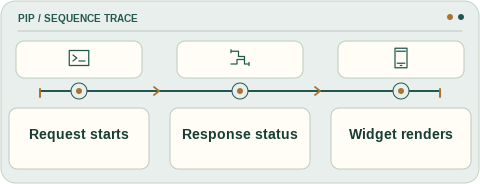
Implementation concept; follow documented steps and verification checks.
Implementation guide
Where to go and what to check
Start here: Chrome DevTools → Network; open before navigation and inspect Headers, Initiator and Timing.
- Record an authorised test URL. Open Network before reloading; filter by known vendor host. Preserve log if route changes are involved.
- If absent, inspect source, trigger and consent. If present, inspect status, initiator and resource type; review Console execution and policy messages.
- Follow subsequent requests and test the actual widget with a synthetic conversation in an authorised environment.
What a passing test looks like
Request presence, status and initiator established
Console and later requests checked
Actual widget and synthetic conversation verified
Interactive troubleshooting
What are you seeing?
Recommended next check
Check installation, scope and consent.
See all diagnostic paths
- No request
- Check installation, scope and consent.
- Request fails
- Check status, hostname, CSP and network conditions.
- Request succeeds, no bubble
- Inspect subsequent requests, Console, visibility and workspace.
This is a diagnostic guide, not a test of your website. Verify actual configuration before changing it.
Verification checklist
Before you call this complete
Checklist state is local to this page and is not submitted or stored.
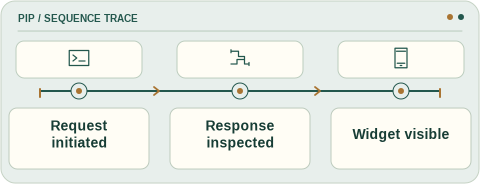
Distinguish the network response from successful rendering.
Practical questions
Frequently asked questions
Does HTTP 200 prove chat works?
No. Delivery can succeed while configuration, execution or subsequent calls fail.
What if there is no request?
Check install scope, triggers and permitted consent first.
Evidence and limitations
Primary sources
- Chrome DevTools Network tutorial — checked 2026-11-26
Vendor documentation and browser guidance informed the steps. Scenarios are illustrative; we have not accessed your installation. Preserve your site’s security and consent requirements.