Research library / Installation & diagnostics
Website chatbot lead qualification: capture better enquiries without adding friction
Ask only the questions needed to qualify an enquiry and route it to the correct team. A successful submission is a separate event from opening a chat or collecting an email address.
Editorial review: 2026-11-27 · Google Analytics recommended lead events · PIP research, not a live vendor performance test.
Decision path
Work through the problem
Practical example
A common situation
A fictional web-design agency receives 80 chatbot conversations. Thirty ask for a project quote; 18 supply the minimum scope and a valid reply route; 15 reach the intended inbox. The qualified-capture rate is 18/30 = 60%, and verified delivery is 15/18 = 83.3%. The three lost handovers need fixing before generating more traffic.
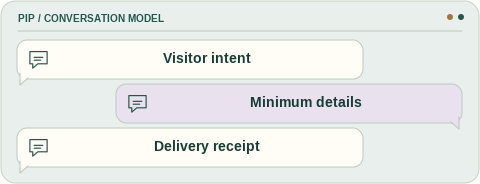
Illustrative decision workflow, not measured product performance.
Implementation guide
Where to go and what to check
Start here: Sales intake → qualifying questions → confirmed submission → owned inbox.
- Write one acceptance rule per enquiry type. For example, a website quote needs project scope and a reply route; support requests need an issue description, not a budget.
- Prepare fictional easy, incomplete, duplicate, wrong-team and out-of-hours enquiries. Include visitors who decline to provide contact details; offer information or a direct contact route instead.
- Inspect the real downstream record for each accepted test. Give each submission a stable idempotency key and track attempted, accepted and delivered states separately. Avoid sending raw personal details to analytics.
- Review qualified leads with the receiving team weekly. Compare conversion at each step and remove a question only if routing and lead usefulness stay intact.
What a passing test looks like
Qualified and unqualified cases have distinct outcomes
One unique accepted request yields one downstream record
A delivery failure does not display a success confirmation
Interactive troubleshooting
What are you seeing?
Recommended next check
Move optional budget or timing questions after the essential reply route and compare completion.
See all diagnostic paths
- Many users abandon the questions
- Move optional budget or timing questions after the essential reply route and compare completion.
- A visitor provides contact details but no clear need
- Label it unqualified and ask for scope; do not mark it a sales opportunity yet.
- The chatbot says sent but the inbox is empty
- Treat it as a delivery failure, retain a safe retry and show a verified alternative contact route.
This is a diagnostic guide, not a test of your website. Verify actual configuration before changing it.
Verification checklist
Before you call this complete
Checklist state is local to this page and is not submitted or stored.
Practical questions
Frequently asked questions
How many questions should a bot ask?
There is no universal number. Start with the minimum required for a useful reply and add optional questions only when they improve routing.
Should budget be compulsory?
Only when it is essential to provide the service. Otherwise invite a range or allow the visitor to say they are unsure.
Can a chatbot book a meeting?
Only count a meeting after its booking system confirms it. Showing a calendar is a distinct step.
Evidence and limitations
Primary sources
- Google Analytics recommended lead events — checked 2026-11-27
- Intercom Messenger JavaScript methods — checked 2026-11-27
- OWASP: sensitive information disclosure — checked 2026-11-27
Vendor documentation and browser guidance informed the steps. Scenarios are illustrative; we have not accessed your installation. Preserve your site’s security and consent requirements.