Research library / Installation & diagnostics
Measure whether a chatbot script slows down your website
Compare controlled runs with and without the authorised widget under the same device, network and page conditions. Third-party cost can include requests, bytes, main-thread work and rendering delays.
Editorial review: 2026-11-26 · web.dev third-party JavaScript · PIP research, not a live vendor performance test.
Decision path
Work through the problem
Practical example
A common situation
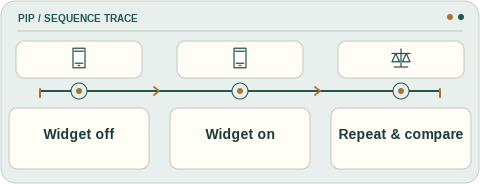
A hypothetical staging test records LCP of 2.1s without chat and 2.4s with chat on one run. The 0.3s difference is an observation, not a proven penalty. Repeat matched runs and report variation; these are illustrative numbers, not measured PIP data.
Implementation concept; follow documented steps and verification checks.
Implementation guide
Where to go and what to check
Start here: Controlled staging URL and Chrome DevTools Network/Performance; matched widget-on and widget-off conditions.
- Keep device, network, cache policy, content, consent and unrelated scripts constant. Capture several baseline runs with the authorised widget disabled.
- Repeat with the widget enabled. Record LCP, request count/bytes and main-thread work; report median and variability rather than only the best run.
- Inspect the waterfall and execution trace if a difference persists, then test a scoped improvement and verify the chat still works.
What a passing test looks like
Matched conditions and sample sizes recorded
Median and variability recorded, not a single best result
Widget and consent policy survive optimisation
Interactive troubleshooting
What are you seeing?
Recommended next check
Inspect size and timing; review approved loading strategy.
See all diagnostic paths
- Slow requests
- Inspect size and timing; review approved loading strategy.
- Main-thread work high
- Use performance diagnostics; async does not remove execution cost.
- No stable difference
- Report uncertainty rather than ranking vendors.
This is a diagnostic guide, not a test of your website. Verify actual configuration before changing it.
Verification checklist
Before you call this complete
Checklist state is local to this page and is not submitted or stored.
Practical questions
Frequently asked questions
Is async loading enough?
No. Async can reduce parse blocking, but execution and subsequent requests still cost resources.
One run was faster without chat. Is that proof?
No. Repeat matched runs and report variation before attributing a difference.
Evidence and limitations
Primary sources
- web.dev third-party JavaScript — checked 2026-11-26
- Chrome network diagnostics — checked 2026-11-26
Vendor documentation and browser guidance informed the steps. Scenarios are illustrative; we have not accessed your installation. Preserve your site’s security and consent requirements.