Research library / Installation & diagnostics
Chatbot blocked by Content Security Policy: diagnose the right directive
Inspect the CSP error and blocked resource type before changing policy. Script, connection and frame directives govern different widget resources; multiple enforced policies may restrict a resource simultaneously.
Editorial review: 2026-11-26 · MDN CSP reference · PIP research, not a live vendor performance test.
Decision path
Work through the problem
Practical example
A common situation
A widget script loads but its frame or network requests fail. Allowing the script origin does not automatically permit other resources. Record the actual violation and verify all effective policies; a permissive additional policy cannot override a stricter one.
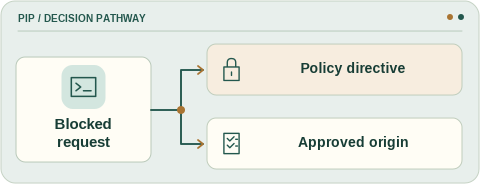
Implementation concept; follow documented steps and verification checks.
Implementation guide
Where to go and what to check
Start here: Browser DevTools → Console and Network → document response headers; record the actual directive and blocked origin.
- Capture the violation and relevant resource type. Inspect enforced Content-Security-Policy headers and applicable meta policy.
- Identify the directive and exact documented required origins; check fallback rules where a directive is absent. Do not use blanket wildcards or remove the policy.
- Stage a narrowly reviewed change. Verify the intended widget and test that an unapproved origin remains blocked; every enforced policy must permit the intended resource.
What a passing test looks like
Actual violation and enforced policies recorded
Exact necessary origin permitted by reviewed directive
Widget works; unrelated origin still blocked
Interactive troubleshooting
What are you seeing?
Recommended next check
Identify script-src or applicable fallback and exact vendor origin.
See all diagnostic paths
- Script refused
- Identify script-src or applicable fallback and exact vendor origin.
- Widget opens but calls fail
- Inspect connect-src and actual blocked endpoint.
- Frame refused
- Inspect frame-src and embedding constraints; verify requirements.
This is a diagnostic guide, not a test of your website. Verify actual configuration before changing it.
Verification checklist
Before you call this complete
Checklist state is local to this page and is not submitted or stored.
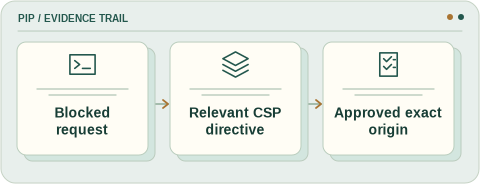
Investigate the blocked request before changing policy.
Practical questions
Frequently asked questions
Why does the script load but chat fail?
A subsequent connection or frame may violate connect-src or frame-src.
Should I add unsafe-inline?
Not as a generic fix. Use reviewed origins and appropriate nonce/hash handling for authorised inline code.
Evidence and limitations
Primary sources
- MDN CSP reference — checked 2026-11-26
Vendor documentation and browser guidance informed the steps. Scenarios are illustrative; we have not accessed your installation. Preserve your site’s security and consent requirements.