Research library / Installation & diagnostics
Intercom logout: prevent the previous user's chat history remaining visible
Call the documented Intercom shutdown method when the application session ends. Shared devices also need the vendor's additional Intercom-cookie cleanup where applicable before a new session.
Editorial review: 2026-11-26 · Intercom web installation and shutdown · PIP research, not a live vendor performance test.
Decision path
Work through the problem
Practical example
A common situation
A support portal runs on a shared reception computer. User A logs out, User B signs in. The critical test is whether B can see A's previous conversation, not whether the widget still opens. Fail the release if synthetic sessions mix.
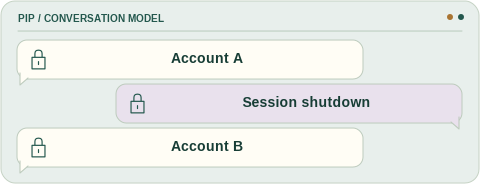
Implementation concept; follow documented steps and verification checks.
Implementation guide
Where to go and what to check
Start here: Application logout and expiry handlers; Intercom JavaScript API shutdown or the NPM equivalent.
- Use two fictional accounts in an authorised isolated workspace. Create a synthetic conversation and record the intended first user's visibility.
- Invoke Intercom('shutdown') or the SDK equivalent on manual logout and automatic expiry. For shared devices, follow the documented additional cleanup of remaining intercom-prefixed cookies on your own domain.
- Only then start a fresh anonymous or signed-in session. Check both the browser and synthetic contact histories to detect inadvertent merging.
What a passing test looks like
Previous user's history absent after logout
Second account sees only its own conversation; no contact-history merge
Manual logout, expiry and shared-device cleanup verified
Interactive troubleshooting
What are you seeing?
Recommended next check
Inspect whether shutdown runs on every logout path; isolate the test workspace.
See all diagnostic paths
- History remains
- Inspect whether shutdown runs on every logout path; isolate the test workspace.
- Auto-expiry differs
- Wire both paths to approved cleanup.
- Anonymous visitor still needs chat
- Boot a new anonymous session only after old session shutdown and privacy checks.
This is a diagnostic guide, not a test of your website. Verify actual configuration before changing it.
Verification checklist
Before you call this complete
Checklist state is local to this page and is not submitted or stored.
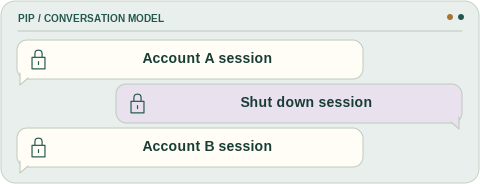
Test that identity and prior conversation state do not leak.
Practical questions
Frequently asked questions
Should automatic logout call shutdown?
Yes, cover both manual and automatic application logout.
Does shutdown remove every cookie?
Not necessarily. Intercom documents additional shared-device cleanup of its prefixed cookies on your domain.
Products discussed
Marks identify the products discussed; no affiliation or endorsement is implied. Official asset sources are linked where a logo is shown.
Evidence and limitations
Primary sources
- Intercom web installation and shutdown — checked 2026-11-26
Vendor documentation and browser guidance informed the steps. Scenarios are illustrative; we have not accessed your installation. Preserve your site’s security and consent requirements.