Research library / Installation & diagnostics
Hide the tawk.to widget on specific pages or domains
Use tawk.to's domain restrictions to control where the chat is visible. On WordPress, check the plugin's page rules as well. Hiding the launcher does not prove the script stopped loading.
Editorial review: 2026-11-26 · tawk.to domain and URL restrictions · PIP research, not a live vendor performance test.
Decision path
Work through the problem
Practical example
A common situation
A retailer wants chat on product pages but not at payment. Hiding the launcher may fix a visual obstruction, whereas a stricter loading policy may require stopping the script itself. Define which outcome is required before touching the settings.
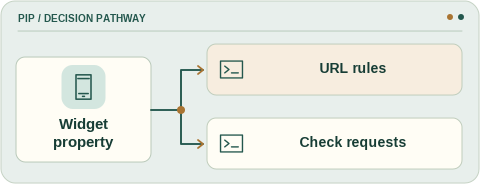
Implementation concept; follow documented steps and verification checks.
Implementation guide
Where to go and what to check
Start here: tawk.to dashboard → correct property → Administration → Chat Widget → Availability Restriction → Domain Restriction.
- Inventory the affected URLs and choose a small maintainable set of rules in the desktop dashboard.
- Save the rule. If WordPress installs the widget, inspect the plugin page visibility and include/exclude settings too.
- Check fresh browser sessions on a permitted and excluded route; inspect the network separately if the site prohibits loading.
What a passing test looks like
Intended launcher appears on permitted route
Launcher absent on excluded route
Request behaviour recorded separately from visibility
Interactive troubleshooting
What are you seeing?
Recommended next check
Confirm the property, saved URL rule and any WordPress plugin rule.
See all diagnostic paths
- Widget appears on excluded page
- Confirm the property, saved URL rule and any WordPress plugin rule.
- Widget vanishes everywhere
- Check the selected allow-or-exclude mode against a known permitted URL.
- Widget hidden but requests remain
- Inspect the Network panel; scope the installation if requests must stop.
This is a diagnostic guide, not a test of your website. Verify actual configuration before changing it.
Verification checklist
Before you call this complete
Checklist state is local to this page and is not submitted or stored.
Practical questions
Frequently asked questions
Must I edit the embed code for a dashboard visibility change?
The documented restriction applies after saving; no HTML change is required for that visibility rule.
Can I exclude checkout?
Yes, for visibility. If requests must not occur there, scope the script installation and test the network.
Products discussed

Marks identify the products discussed; no affiliation or endorsement is implied. Official asset sources are linked where a logo is shown.
Evidence and limitations
Primary sources
- tawk.to domain and URL restrictions — checked 2026-11-26
Vendor documentation and browser guidance informed the steps. Scenarios are illustrative; we have not accessed your installation. Preserve your site’s security and consent requirements.