Research library / Installation & diagnostics
Chatbot blocked by consent in GTM: test rather than bypass
Confirm tag consent settings, CMP state and initialisation order. Third-party tags may need their own consent checks; Google consent mode does not automatically make every chat widget compliant.
Editorial review: 2026-11-26 · Google consent setup · PIP research, not a live vendor performance test.
Decision path
Work through the problem
Practical example
A common situation
A widget fires only after a CMP choice. Do not disable consent checks to force a visible bubble. Compare expected policy with actual firing, then test updates. This is technical guidance, not a legal compliance determination.
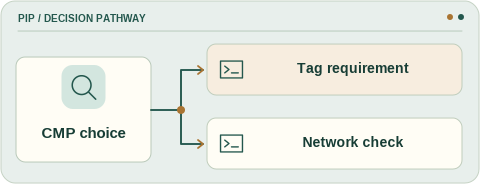
Implementation concept; follow documented steps and verification checks.
Implementation guide
Where to go and what to check
Start here: Approved consent management platform (CMP), GTM consent settings and Tag Assistant Preview.
- Document which loading and measurement behaviours the owner has authorised in each consent state. Check defaults before relevant tags run and updates after a visitor choice.
- Review the third-party widget's own checks; built-in consent-aware Google tag behaviour does not automatically apply to Custom HTML. Inspect trigger timing and revocation behaviour.
- Test denied, granted and revoked states with fictional sessions. Inspect actual requests as well as firing and visible chat. Repair prohibited loading before release.
What a passing test looks like
Defaults and updates match policy
Denied/granted/revoked network states tested
Permitted synthetic chat works; measurement matches policy
Interactive troubleshooting
What are you seeing?
Recommended next check
Inspect updates, required types and trigger settings.
See all diagnostic paths
- Never fires after allowed choice
- Inspect updates, required types and trigger settings.
- Fires while denied
- Isolate and repair possible policy regression before release.
- Google tags work, chatbot doesn't
- Review third-party tag's own consent checks.
This is a diagnostic guide, not a test of your website. Verify actual configuration before changing it.
Verification checklist
Before you call this complete
Checklist state is local to this page and is not submitted or stored.
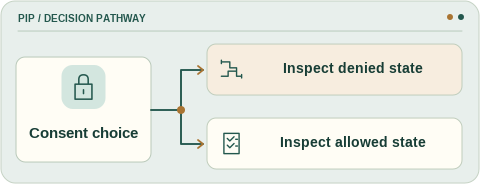
Check actual network requests in both consent states.
Practical questions
Frequently asked questions
Why do Google tags work while the chatbot does not?
Consent-aware Google tags and custom third-party installations may have different checks.
Should I force the tag after consent?
First verify how the approved CMP and tag configuration handle updates; then test the intended behaviour.
Products discussed

Marks identify the products discussed; no affiliation or endorsement is implied. Official asset sources are linked where a logo is shown.
Evidence and limitations
Primary sources
- Google consent setup — checked 2026-11-26
- Google consent overview — checked 2026-11-26
- Tidio GTM troubleshooting — checked 2026-11-26
Vendor documentation and browser guidance informed the steps. Scenarios are illustrative; we have not accessed your installation. Preserve your site’s security and consent requirements.