Research library / Installation & diagnostics
Install Tidio on Shopify: why the app embed matters
Installing the Shopify app is not the same as displaying the widget. Connect your project, enable the Tidio app embed in the intended theme, save and visit the storefront.
Editorial review: 2026-11-26 · Tidio Shopify installation · PIP research, not a live vendor performance test.
Decision path
Work through the problem
Practical example
A common situation
A merchant switches themes and loses the bubble while the app remains installed. The embed toggle is theme-specific. Check activation before reinstalling. The vendor also documents limitations on Shopify features when using only JavaScript.
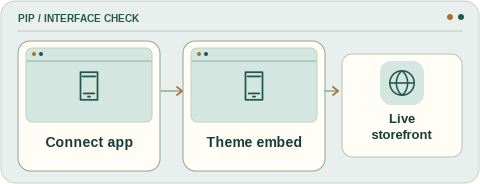
Implementation concept; follow documented steps and verification checks.
Implementation guide
Where to go and what to check
Start here: Shopify admin → Online Store → Themes → Customize → App embeds; enable the intended theme's Tidio embed and save.
- Confirm the official app is connected to the right store and project; identify any competing manual snippet.
- Enable the app embed in the intended theme. For an unpublished theme, preview it and check the live theme separately.
- Visit the storefront, check a product page and synthetic chat. Recheck embed activation when switching themes.
What a passing test looks like
Correct app/project connection
Intended live theme embed enabled
Storefront chat and approved checkout scope verified
Interactive troubleshooting
What are you seeing?
Recommended next check
Enable/save the app embed in the intended theme, then visit the store.
See all diagnostic paths
- App installed, no chat
- Enable/save the app embed in the intended theme, then visit the store.
- New theme lost chat
- Check activation on the replacement theme.
- Need cart or order features
- Confirm app-specific feature and plan availability; script-only installation is not equivalent.
This is a diagnostic guide, not a test of your website. Verify actual configuration before changing it.
Verification checklist
Before you call this complete
Checklist state is local to this page and is not submitted or stored.
Practical questions
Frequently asked questions
Will the embed survive a theme switch?
Shopify documents that apps may need reactivation on a replacement published theme.
Should I add the script as well?
Use one supported installation method and check feature differences before replacing an app with a script.
Products discussed
 Shopify
Marks identify the products discussed; no affiliation or endorsement is implied. Official asset sources are linked where a logo is shown.
Evidence and limitations
Primary sources
- Tidio Shopify installation — checked 2026-11-26
- Shopify app embeds — checked 2026-11-26
Vendor documentation and browser guidance informed the steps. Scenarios are illustrative; we have not accessed your installation. Preserve your site’s security and consent requirements.