Research library / Installation & diagnostics
Hide Tidio on selected pages without confusing visibility with loading
Tidio provides page visibility rules and a code-based method for displaying chat only on selected URLs. Hiding the visible widget does not necessarily stop the script from loading.
Editorial review: 2026-11-26 · Tidio visibility settings · PIP research, not a live vendor performance test.
Decision path
Work through the problem
Practical example
A common situation
A checkout team hides chat from payment pages. The bubble is gone but the script still downloads. If the approved policy requires no vendor requests on checkout, visibility alone is insufficient; use an authorised conditional-loading approach and verify network behaviour.
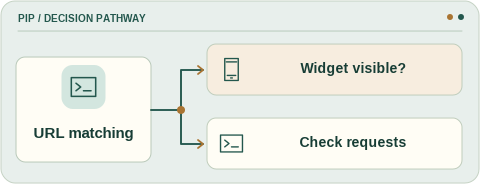
Implementation concept; follow documented steps and verification checks.
Implementation guide
Where to go and what to check
Start here: Tidio → Settings → Live Chat → Appearance → Visibility and position; choose desktop and mobile separately.
- Use Exact for one full URL and Contains for a deliberate group of URLs. Test counterexamples to avoid unintended substring matches.
- For code-based show-only rules, test full-load and client-navigation behaviour: the documented allowlist checks the URL on page load.
- Inspect both visible chat and vendor requests per URL. If policy prohibits loading, use an approved conditional installation instead of a display rule.
What a passing test looks like
Included and excluded URLs match both device settings
Full load and internal navigation checked
No prohibited requests where loading is forbidden
Interactive troubleshooting
What are you seeing?
Recommended next check
Check exact versus contains matching against a URL matrix.
See all diagnostic paths
- Wrong pages hidden
- Check exact versus contains matching against a URL matrix.
- Mobile only mismatch
- Inspect desktop/mobile settings separately.
- Need no vendor requests
- Verify actual network and implement an approved load policy, not just hide/show.
This is a diagnostic guide, not a test of your website. Verify actual configuration before changing it.
Verification checklist
Before you call this complete
Checklist state is local to this page and is not submitted or stored.
Practical questions
Frequently asked questions
Can I hide a single URL?
Use Exact with the full address; test actual query-string and trailing-slash variants.
Does show-only code stop loading?
No. The vendor describes showing or hiding a loaded widget; it does not recheck URL changes without a reload.
Products discussed

Marks identify the products discussed; no affiliation or endorsement is implied. Official asset sources are linked where a logo is shown.
Evidence and limitations
Primary sources
- Tidio visibility settings — checked 2026-11-26
- Tidio code-based allowlist — checked 2026-11-26
Vendor documentation and browser guidance informed the steps. Scenarios are illustrative; we have not accessed your installation. Preserve your site’s security and consent requirements.