Research library / Installation & diagnostics
Track Tidio widget events in GTM: installation is not analytics
Tidio's event integration sends widget events to the dataLayer; installing a widget through a GTM HTML tag does not automatically configure event triggers and analytics destinations.
Editorial review: 2026-11-26 · Tidio GTM event integration · PIP research, not a live vendor performance test.
Decision path
Work through the problem
Practical example
A common situation
An analyst sees the Tidio bubble but no analytics conversion. The script can work perfectly while event mapping is absent. A sample event visible in the container is intermediate evidence, not proof of a recorded conversion.
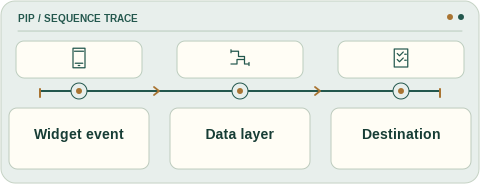
Implementation concept; follow documented steps and verification checks.
Implementation guide
Where to go and what to check
Start here: Tidio panel → Integrations → Google Tag Manager → Connect; inspect events and destination triggers in GTM Preview.
- Connect the event integration separately from installation. Exercise a synthetic interaction in an authorised session and inspect the dataLayer.
- The documented event naming pattern is tidio_{category}_{action}. Read the observed event and variables rather than guessing a conversion name.
- Configure the destination trigger for your chosen event; verify one permitted receipt and avoid unnecessary personal data or transcripts.
What a passing test looks like
Documented dataLayer event observed
Destination event received once in permitted state
Denied and duplicate-event cases checked
Interactive troubleshooting
What are you seeing?
Recommended next check
Confirm event integration and exercise a documented event.
See all diagnostic paths
- Widget works but no event
- Confirm event integration and exercise a documented event.
- Event visible, destination absent
- Check destination trigger, variables and consent.
- Double-counted events
- Inspect duplicate triggers and destination deduplication using synthetic data.
This is a diagnostic guide, not a test of your website. Verify actual configuration before changing it.
Verification checklist
Before you call this complete
Checklist state is local to this page and is not submitted or stored.
Practical questions
Frequently asked questions
Is the installation tag enough?
No. Connecting events and mapping destinations are separate.
Which event should be a lead?
Choose a documented event that actually matches your qualification definition; test that definition independently.
Products discussed
 Google Tag Manager
Marks identify the products discussed; no affiliation or endorsement is implied. Official asset sources are linked where a logo is shown.
Evidence and limitations
Primary sources
- Tidio GTM event integration — checked 2026-11-26
- Google consent overview — checked 2026-11-26
- Tidio documented event naming (legacy article) — checked 2026-11-26
Vendor documentation and browser guidance informed the steps. Scenarios are illustrative; we have not accessed your installation. Preserve your site’s security and consent requirements.