Research library / Installation & diagnostics
Intercom update throttling in single-page apps: the 20-call limit
Intercom documents a limit of 20 Messenger update calls per 30 minutes before throttling. Count calls from navigation and user-field changes, and remove duplicates before blaming missing messages on the subscription.
Editorial review: 2026-11-26 · Intercom JavaScript methods and update throttling · PIP research, not a live vendor performance test.
Decision path
Work through the problem
Practical example
A common situation
In a fictional 30-minute session, 12 route changes each call update twice: 24 calls, four above the documented threshold. One call per route would give 12, eight below the threshold before other updates. This is arithmetic, not a vendor performance measurement.
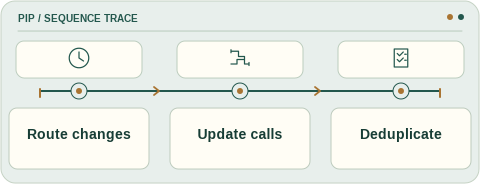
Implementation concept; follow documented steps and verification checks.
Implementation guide
Where to go and what to check
Start here: Your application's shared router and Messenger update handler → Intercom JavaScript API update method.
- Instrument the local handler with counts and timestamps but no user details. Replay a representative fictional 30-minute route sequence locally.
- Remove competing listeners and unchanged-state calls. Budget for legitimate user-field changes as well as navigation; do not repeatedly reload to evade limits.
- Retest ordinary and busy journeys in an authorised workspace; check message behaviour, identity and logout independently.
What a passing test looks like
One intended update path rather than a call on every render
Representative session remains below the documented allowance
Expected messages and identity verified with fictional users
Interactive troubleshooting
What are you seeing?
Recommended next check
Count update calls and look for duplicate listeners; compare with the documented allowance.
See all diagnostic paths
- Messages stop after navigation
- Count update calls and look for duplicate listeners; compare with the documented allowance.
- Repeated calls on the same route
- Inspect re-renders and separate real changes from unchanged state.
- No message on first load
- Check Messenger enablement, App ID, targeting and boot readiness before assuming throttling.
This is a diagnostic guide, not a test of your website. Verify actual configuration before changing it.
Verification checklist
Before you call this complete
Checklist state is local to this page and is not submitted or stored.
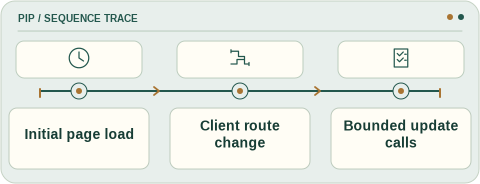
Verify navigation updates separately from initialisation.
Practical questions
Frequently asked questions
What if 12 routes each call update twice?
24 calls exceed the documented allowance by four. One call per route gives 12, excluding other updates.
Should I force a page reload to get more calls?
No. Reduce unnecessary calls and retain the correct session lifecycle.
Products discussed
Marks identify the products discussed; no affiliation or endorsement is implied. Official asset sources are linked where a logo is shown.
Evidence and limitations
Primary sources
- Intercom JavaScript methods and update throttling — checked 2026-11-26
- Intercom single-page app installation — checked 2026-11-26
Vendor documentation and browser guidance informed the steps. Scenarios are illustrative; we have not accessed your installation. Preserve your site’s security and consent requirements.