Research library / Installation & diagnostics
WordPress removes chatbot script tags: check permissions before editing
WordPress can sanitise Custom HTML content for users without the unfiltered_html capability. In documented current versions this can remove scripts or iframes when the post is saved.
Editorial review: 2026-11-26 · WordPress Custom HTML documentation · PIP research, not a live vendor performance test.
Decision path
Work through the problem
Practical example
A common situation
A contributor pastes a chatbot script into a Custom HTML block. It disappears after update, while an administrator has more code options. This may be expected sanitisation. Use an appropriate installation route with correct permissions.
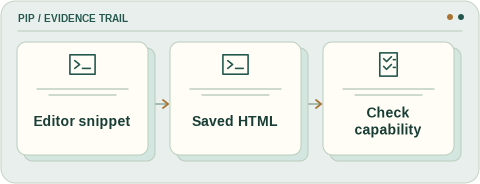
Implementation concept; follow documented steps and verification checks.
Implementation guide
Where to go and what to check
Start here: WordPress post editor → Custom HTML block; compare saved markup and editing user's capabilities.
- On an authorised test page compare the snippet with saved public markup. If it vanished on save, distinguish sanitisation from a network or execution fault.
- Check whether the role has unfiltered_html and whether multisite or security restrictions apply. Use the official plugin or approved site-level installation when necessary.
- Inspect public source and network after saving. If the script remains but fails to execute, switch to CSP and network diagnosis.
What a passing test looks like
Cause separated: removed, displayed as text or blocked
Supported method selected without unnecessary capability escalation
Public markup and expected request verified
Interactive troubleshooting
What are you seeing?
Recommended next check
Check role and sanitisation rather than repeatedly pasting.
See all diagnostic paths
- Script removed on save
- Check role and sanitisation rather than repeatedly pasting.
- Script visible as text
- Verify field supports executable HTML and authorised method.
- Only one post contains widget
- Decide whether site-wide installation is intended.
This is a diagnostic guide, not a test of your website. Verify actual configuration before changing it.
Verification checklist
Before you call this complete
Checklist state is local to this page and is not submitted or stored.
Practical questions
Frequently asked questions
Does a missing script prove the vendor is broken?
No. WordPress documents capability-dependent sanitisation.
What if the script is in public source?
Inspect the request and policy; this is not a save-time stripping issue.
Products discussed

Marks identify the products discussed; no affiliation or endorsement is implied. Official asset sources are linked where a logo is shown.
Evidence and limitations
Primary sources
- WordPress Custom HTML documentation — checked 2026-11-26
Vendor documentation and browser guidance informed the steps. Scenarios are illustrative; we have not accessed your installation. Preserve your site’s security and consent requirements.